

How to Set Up a Robotics STEM Lab in a UAE School
Schools across the UAE are under increasing pressure to deliver meaningful STEM education. Parents expect it, accreditation bodies encourage it, and students — especially those heading into technology-related careers — need hands-on experience with the tools that are shaping the world around them.
The challenge most schools face is not a lack of interest. It is knowing what a robotics STEM lab actually needs to include, and how to structure it so that students at different levels are genuinely learning — not just watching a demonstration or following a fixed script on a tablet.
A well-equipped robotics lab gives students something to interact with, program, break, fix, and build on. The robots in the lab are not decoration. They are the curriculum.
What a Robotics STEM Lab Actually Needs
Most schools that set up a STEM space focus on the room — the furniture, the screens, the layout. The robotics component often comes last, and when it does, it tends to be a single device that every year group uses in the same way.
A lab that genuinely develops student capability needs a progression. Different robots teach different things. A student in Year 4 interacting with a robot for the first time needs a very different experience from a student in Year 10 programming autonomous navigation in Linux. Both are STEM. Neither is served by the same hardware.
Interaction & No-Code
Students engage with a robot, give it instructions, and see immediate results — no prior coding knowledge needed.
Movement & Mechanics
Students explore how robots move, how joints work, how a robot maintains balance over different surfaces.
Navigation & Mapping
Students programme a robot to navigate an environment, avoid obstacles, and map a space autonomously.
Real-World Deployment
Students see how a commercial service robot operates in a real environment — and understand the gap between lab and deployment.
The Robots That Build This Progression
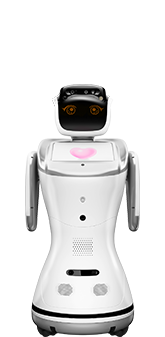
ELF
Designed for school environments. ELF introduces students to robotics through interaction — no prior coding experience needed. Students program it through a simple chat interface, explore its sensors, and build confidence working with physical robots before moving to more complex platforms.
View Product →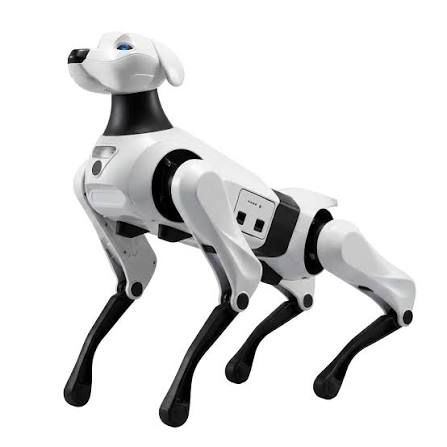
Argos X1
A quadruped robot dog that moves across grass, gravel, slopes, and steps. Students study how 12 joint motors work together to produce stable movement, explore how the robot navigates different terrains, and interact with a form of robotics that is immediately engaging and unlike anything they have seen on a screen.
View Product →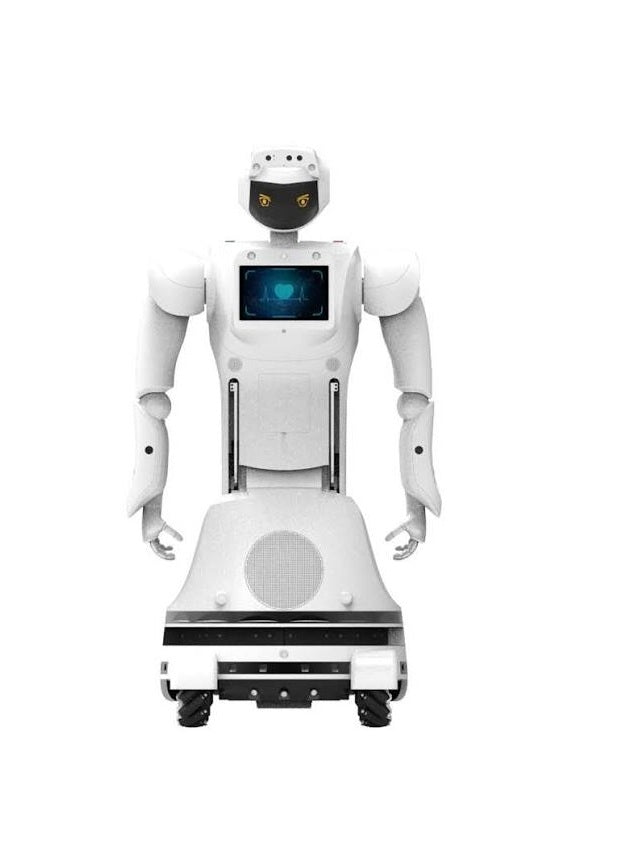
Max
Max supports Linux, ROS, and Android — making it the platform for students ready to programme real autonomous navigation. Students map environments, programme obstacle avoidance, and work with 3D vision-based navigation. The same tools used in commercial robotics development, available in the classroom.
View Product →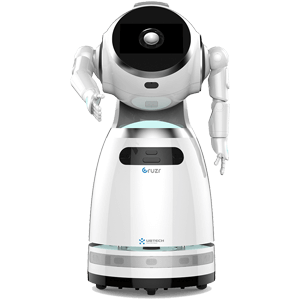
Cruzr
A commercial humanoid service robot operating in the school environment — welcoming students, greeting parents, and navigating the school autonomously. Students see the gap between programming in a lab and deploying in a real environment, and understand what it takes to build a robot that works reliably around people every day.
View Product →What Students Learn from Each Robot
Robotics fundamentals and human-robot interaction
Locomotion, mechanics, and physical robot behaviour
Autonomous navigation, mapping, and real programming environments
Commercial robotics, deployment, and what makes robots reliable in the real world
A STEM lab that students talk about outside school
The measure of a STEM lab is not what it looks like on an open day. It is whether students are thinking about it when they go home — whether they come back with questions, ideas, and a curiosity that was not there before.
A room with a robot dog that walks across different surfaces, a humanoid robot greeting students at the door, and a programming platform where advanced students write real navigation code gives every year group something to engage with at their level. That is what a STEM lab is supposed to do.
RoboHub is based in Dubai on Sheikh Zayed Road and works with schools across the UAE on STEM robotics setups. WhatsApp the team to discuss your school's requirements and which combination of robots fits your curriculum and space.
Set Up Your School's Robotics STEM Lab
All robots available at the RoboHub showroom in Dubai. WhatsApp us to discuss your curriculum, year groups, and lab setup.